You know Rovo exists — but not where to begin
It's switched on at the organization level, it shows up in Jira's nav bar, and it's unclear what to try first or what uses credits.
Practical guide for Jira + Atlassian Rovo
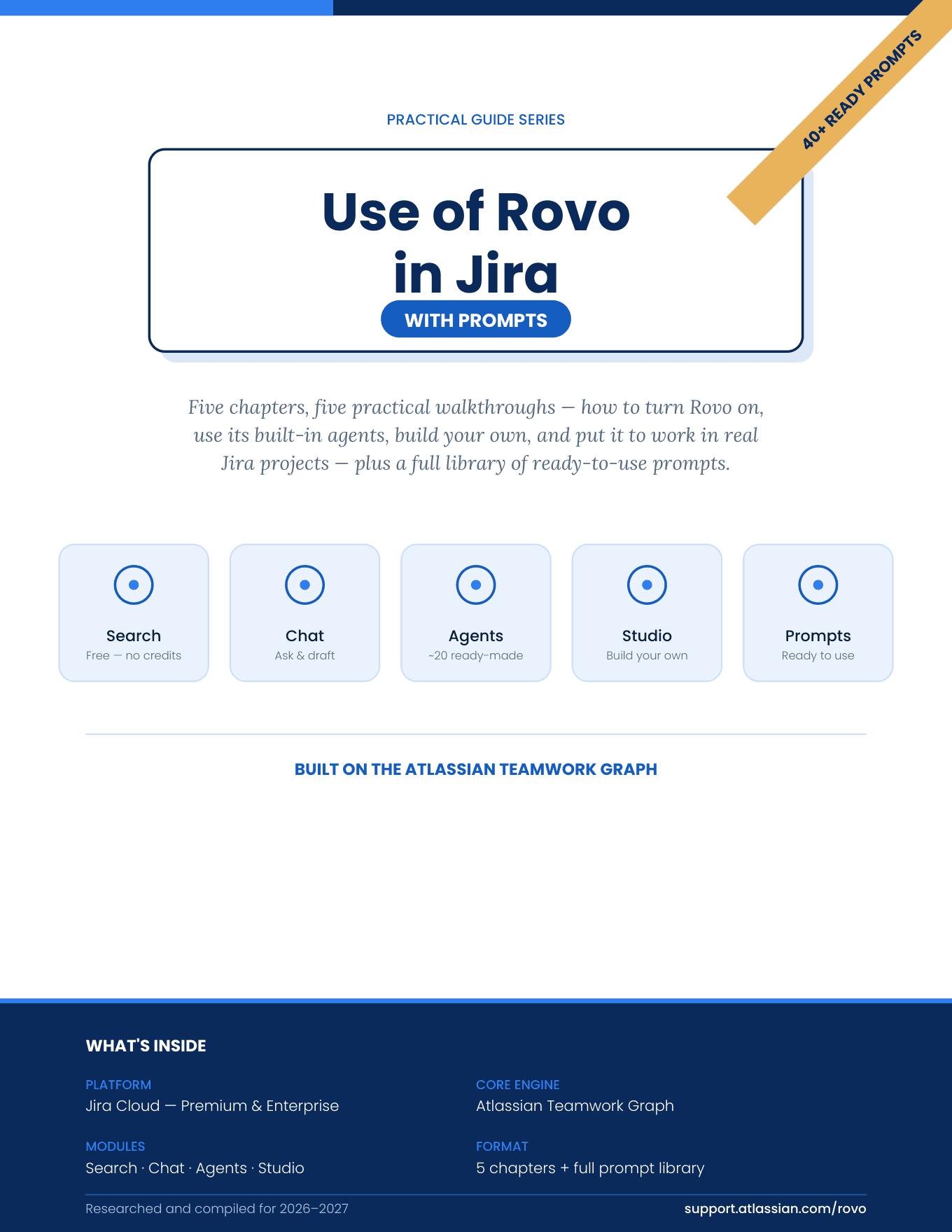
Use of Rovo in Jira with Prompts is a five-chapter practical guide for Jira users, Scrum Masters and admins. Learn how to turn Rovo on, use its built-in agents, build your own in Rovo Studio, and put it to work in real Jira projects — plus a full library of prompts you can adapt today.
The challenge
Most teams get Rovo switched on and then stall. These are the gaps this guide is built to close.
It's switched on at the organization level, it shows up in Jira's nav bar, and it's unclear what to try first or what uses credits.
Rovo appears inside issues, boards, comments and automation rules. Knowing which surface fits which job isn't spelled out anywhere.
Rovo isn't one button. It's four connected pieces on top of the Teamwork Graph, and each works — and is metered — differently.
You want practical prompts you can paste into Chat, a Jira comment or an automation rule — not another overview of what AI can do.
Backlog cleanup, sprint health, release notes, retro prep — you want to see Rovo applied to the work your team actually does.
Rovo Studio promises your own agents, but instructions, knowledge scoping and skills are easy to get wrong without a clear walkthrough.
The solution
A clear, sequenced path — each step builds on the last, so you're never guessing what comes next.
Search, Chat, Agents and Studio — and how credits and the Teamwork Graph fit together.
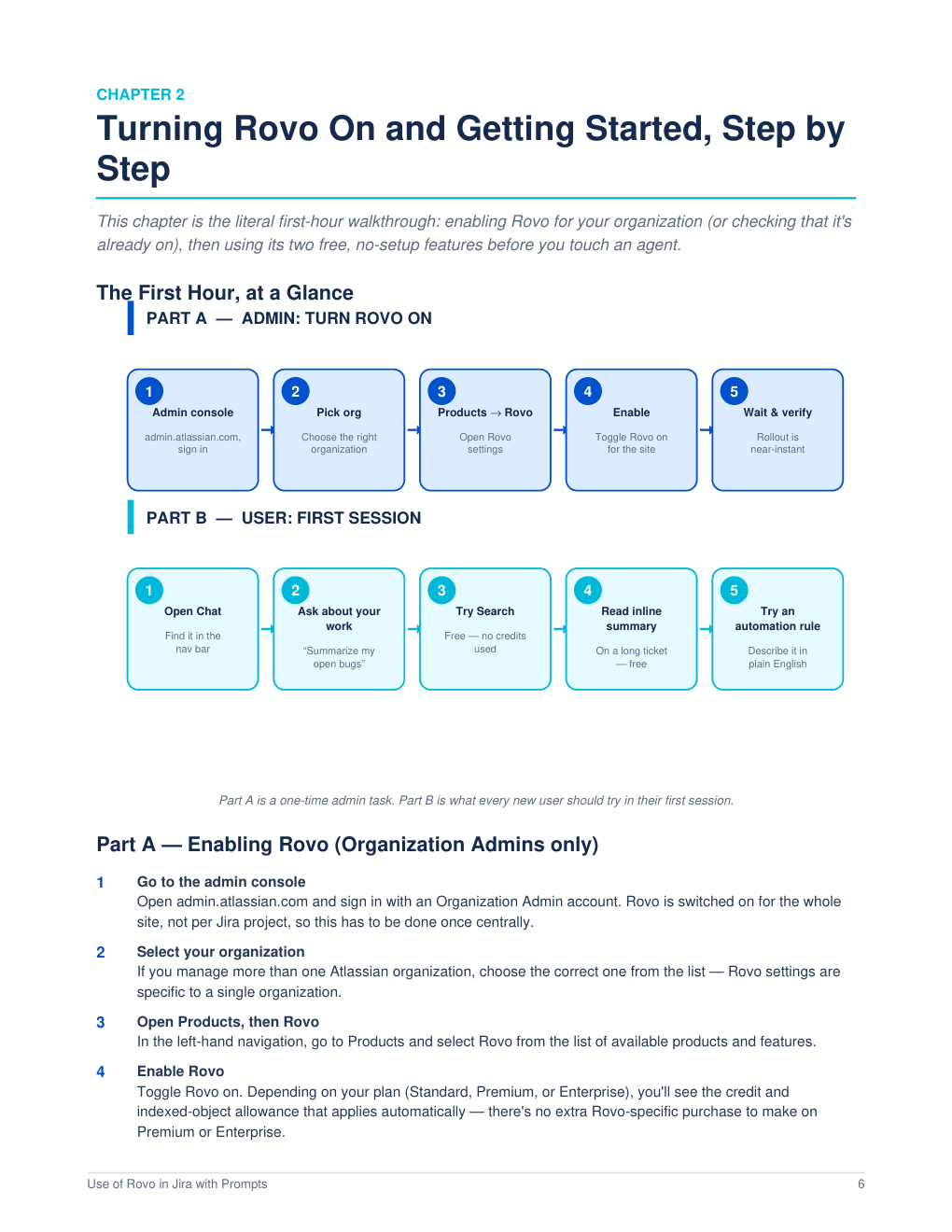
The first-hour walkthrough: enabling Rovo as an admin, then your first session as a user.
Put ready-made agents to work via Chat, slash commands, assignment or automation.
The eight-step Rovo Studio build, from identity and instructions to publishing.
Concrete use cases, governance questions and fixes for common problems.
A full prompt library plus a bonus library, grouped by where you'd type them.
What's inside
Here are two of the five chapters, plus the quick-reference cheat sheet you'll keep coming back to. The rest is waiting inside.
The ready-made agents worth knowing for Jira and Scrum work, four ways to invoke them, a worked “break this into stories” example, and how to duplicate-and-scope an agent.
Three ways to start and the eight-step build — identity, instructions, knowledge, skills, conversation starters and more — with a Scrum Master's “Sprint Health Agent” example.
Quick reference
One page covering how to turn Rovo on, how to use it day to day, how to build something custom, and what to confirm before you scale up across a team.
Practical use cases
Every example below comes straight from the guide — real Jira and Scrum work, not hypothetical demos.
Turn a messy Jira comment thread into a clean summary before a stakeholder meeting.
Use Meeting Insights to pull decisions and action items from a recorded planning or retro session into Jira.
Rewrite a technical ticket in plain language for a non-technical stakeholder, right inside a comment.
Ask Rovo Chat to scan related epics and flag dependencies before they cause a blocked sprint.
Turn sprint activity into a first draft of retrospective talking points your team then discusses and refines.
Draft a readable release summary from a sprint's completed items with the Release Notes Drafter agent.
Build a Sprint Health Agent that summarizes completed vs. remaining points and flags an at-risk sprint goal.
List issues blocked for more than two days, and who owns each blocker.
Comment “Hey Rovo, break this into stories” and let an agent chain draft linked stories with acceptance criteria.
Let Issue Organizer merge duplicates, assign items to the right epic and flag stale tickets.
Describe a rule in plain English and Rovo converts it into a trigger-condition-action rule to review.
Plus governance & troubleshooting
What to check before scaling up, and why answers get vague, credits feel short, or unknown agents appear.
From the prompt library
Start with practical prompts you can adapt to your own Jira workflows. Here's a sample straight from the eBook — swap in your own project keys, ticket numbers and team names.
What are the top 3 risks in the current sprint based on ticket comments?
Draft a status update for leadership based on this epic's linked tickets.
/Rovo break this into subtasks
Review the next 10 backlog items and flag any missing acceptance criteria.
Draft release notes for everything shipped in Sprint 14.
When a ticket sits in Code Review for more than 3 days, ping the reviewer.
Create an agent that reviews every new bug for missing steps to reproduce.
Search across Jira and Slack for anything related to the payment gateway outage.
Audit which Confluence spaces are set to “anyone can view” before I connect them as a knowledge source.
The full eBook includes the complete Prompt Library, a Bonus Extra Prompt Library, and prompts woven through every chapter.
Preview
Real pages from the eBook — clean diagrams, step-by-step walkthroughs and ready-to-copy prompts.
Chapter 22 / 3
Audience
Written for people who use Jira every day and want Rovo to take real work off their plate.
Anyone working in Jira Cloud who wants to search, summarize and draft faster with Rovo Chat and inline features.
Sprint health summaries, blockers, readiness checks and retro prep — including a worked Sprint Health Agent build.
Backlog refinement, story breakdown and release notes patterns your whole team can reuse.
Built-in agents tuned for engineering, IT and operations work, such as Rovo Ops for incident and on-call summaries.
A step-by-step walkthrough for enabling Rovo, plus the governance checklist to confirm before a team-wide rollout.
Outcomes
By the time you finish the guide, you'll be able to:
Why this guide
Step-by-step walkthroughs you can follow in the product, screen by screen.
Prompts written to be adapted — swap in your own project keys and team names.
Every example is centered on Jira issues, boards, sprints and automation.
Worked examples like the Sprint Health Agent, not just theory.
Use cases, governance and troubleshooting drawn from everyday Agile work.
About the author

Garima Chauudhary
IT Professional · 7+ years at Accenture
Garima Chauudhary is an IT professional with 7+ years of experience in Accenture having worked across Software Testing, Agile practices, Scrum. Her experience working with Agile teams sparked an interest in exploring how emerging AI capabilities can simplify everyday delivery and collaboration.
She is particularly interested in the intersection of AI, Jira, Rovo, Agile, and Scrum, and in turning new technology into practical workflows that professionals can actually use.
Through this eBook, Garima shares practical Rovo Agent use cases and prompts for Jira, designed to help Agile professionals experiment with AI-driven ways of working and discover opportunities to reduce repetitive tasks, improve collaboration, and create greater business value.
Her broader focus is on helping professionals understand not just what AI can do, but how to integrate it meaningfully into their existing Agile and delivery practices.
eBook
Price
₹49 or $0.51
FAQ
Get the practical guide to turning Rovo on, putting its built-in agents to work, building your own in Rovo Studio, and applying it to real Jira projects — with a full library of ready-to-adapt prompts.
₹49 or $0.51
Digital eBook · PDF
Enter your name, email and mobile number to unlock your instant download.